| Stock Tracker 5 |
| Stock Tracker 5 Home |
| Using Stock Tracker 5 |
| All Documentation |
| Getting Started |
| Operator Login |
| Overview |
| Adding Items |
| Selling Items |
| Managing Contacts |
| Reference |
| Client Options |
| Administration Area |
| Printing |
| Client Software Setup |
| Setup Connection to Database |
| Server Setup |
| Setup SQL Server and Import Data |
| Setup Stock Tracker Server App |
| Setup Postcode Database (optional) |
| Setup Server Backup |
| Stock Tracker 5 Scripting |
| Scripting |
| Known Issues |
| PST5 Known Issues |
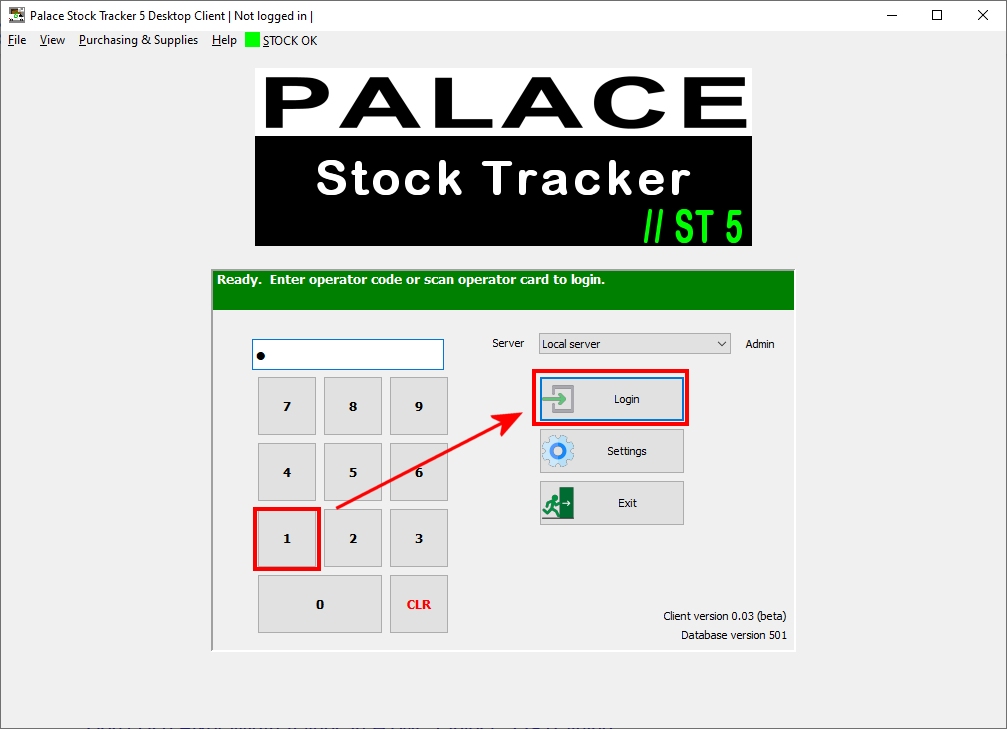
The default operator number is 1, simply enter 1 and press Login to start using the software.
A default supervisor operator is also supplied which can perform more advanced tasks. The default supervisor operator is 100.
| Note: | When a database is used for the first time it must be activated. You will be prompted for an email address which is optional. After activation a 21 day trial licence will be created. |

Additional operators and operator permissions are setup in the Administration Area.
|
|